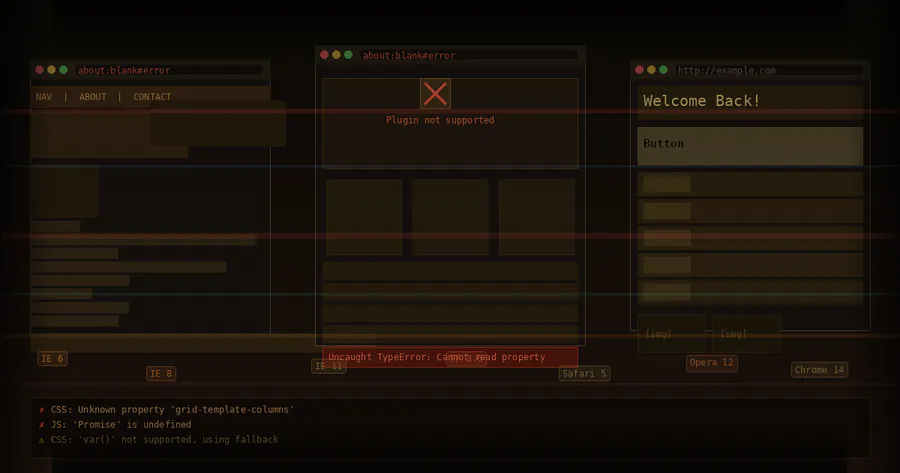
Why Websites Break in Old Browsers
Modern websites are built for a fast‑moving web. Older browsers, however, were designed for an earlier era with fewer features, different standards, and weaker hardware. When these worlds collide, sites can look wrong, behave unpredictably, or stop working entirely. This article explains the main reasons why websites break in old browsers and what developers can do about it.
1. The Web Platform Never Stands Still
The web is a living platform. HTML, CSS, and JavaScript are updated frequently through web standards bodies like the W3C and WHATWG. Modern browsers (Chrome, Firefox, Safari, Edge) update automatically, sometimes every few weeks. Older browsers either stopped receiving updates or are locked to an outdated version.
As a result, developers use new features that simply did not exist when older browsers were built. When those browsers encounter unfamiliar syntax or features, they often fail silently, skip important instructions, or apply fallback rules that break layouts and functionality.
2. New HTML Features That Old Browsers Do Not Understand
HTML has evolved beyond basic structural tags. New semantic elements and attributes make pages more meaningful, accessible, and easier to style. Old browsers, though, only understand the HTML vocabulary they shipped with.
2.1 Semantic Elements
Tags like <header>, <footer>, <nav>, and <article> were added in HTML5. Very old browsers treat unknown elements as inline or generic elements, if they render them at all. This can:
- Break page structure and layout rules.
- Interfere with CSS selectors that rely on these tags.
- Cause accessibility tools to receive incomplete information.
2.2 Form Enhancements
New input types and attributes (such as date, email, number, required, and pattern) allow browsers to validate and enhance forms automatically. Old browsers often:
- Treat new input types as plain text fields.
- Ignore built‑in validation entirely.
- Fail to show proper keyboards or widgets on mobile devices.
This does not always “break” a site visually, but it removes safeguards and can lead to broken workflows or invalid data.
3. CSS: From Simple Styling to Complex Layout Engines
Modern layouts depend heavily on advanced CSS. Many of these capabilities were added after older browsers stopped updating, so those browsers either ignore the new rules or implement them incorrectly.
3.1 Layout Systems: Flexbox and Grid
Flexbox and CSS Grid revolutionized page layout. Instead of using tables or complex float hacks, developers can define clean, responsive designs. Old browsers that predate these standards simply do not support them. The consequences include:
- Content stacking vertically instead of forming rows or columns.
- Navigation bars collapsing or overlapping.
- Elements misaligned or pushed offscreen.
3.2 Media Queries and Responsive Design
Media queries allow designs to adapt to different screen sizes and resolutions. Some outdated browsers implement them poorly or not at all. When that happens, the site might:
- Render only the desktop layout on small screens.
- Require horizontal scrolling and zooming.
- Display text or images at unusable sizes.
3.3 New CSS Properties and Values
Features like custom properties (CSS variables), transforms, transitions, filters, and modern color functions enable rich, maintainable styling. Unsupported properties may be ignored entirely, causing:
- Disappearing backgrounds or borders.
- Broken animations and interactive cues.
- Unreadable text when contrast or color fallbacks are missing.
In some cases, partial support leads to strange bugs: layouts that are almost correct but shift unexpectedly or break under certain conditions.
4. JavaScript: Language and API Gaps
JavaScript has changed more dramatically than HTML or CSS. Modern code relies on features added in ECMAScript 2015 (ES6) and beyond, plus numerous browser APIs that never existed in older engines.
4.1 Modern Syntax
Syntax features such as let, const, arrow functions, classes, template literals, async/await, and modules are common today. Old JavaScript engines may:
- Throw syntax errors when they encounter unknown constructs.
- Stop executing the script entirely, disabling crucial functionality.
4.2 Missing Built‑In Objects and Methods
Methods like Array.prototype.find, Promise, fetch, URL, and others are absent in older environments. When code assumes these features exist, it can fail with runtime errors, breaking:
- Form submissions and validation.
- Navigation menus and interactive components.
- APIs that load content dynamically.
4.3 Browser APIs and Security Restrictions
Modern sites use APIs such as:
- Local storage and session storage.
- Service workers and offline caching.
- WebSockets and WebRTC for realtime communication.
- Geolocation, notifications, and other device capabilities.
Older browsers either lack these APIs or implement early, incompatible versions. This can cause parts of the site to simply not work, or worse, fail unpredictably depending on which features are available.
5. Security, Encryption, and Protocol Mismatches
The web has shifted toward stronger security. Encryption standards and browser security models are updated regularly to protect users. Outdated browsers lag behind or remain permanently stuck on insecure protocols.
5.1 TLS and HTTPS Support
New versions of TLS, stricter cipher suites, and features like HTTP Strict Transport Security (HSTS) can cause older browsers to fail when connecting to a site. Symptoms include:
- Scary security warnings that discourage users.
- Complete inability to load the page over HTTPS.
- Broken or blocked resources, such as fonts or scripts.
5.2 Modern Security Features
Features like Content Security Policy (CSP), secure cookies, and mixed content blocking are better supported in modern browsers. When old browsers do not implement them properly, they may:
- Fail to run scripts that newer browsers allow.
- Load insecure assets in ways the server does not expect.
- Behave differently from modern browsers during development and testing.
6. Performance and Hardware Limitations
Websites assume a certain baseline of processing power, memory, and graphics capability. Older devices running outdated browsers struggle with modern techniques such as heavy JavaScript frameworks, high‑resolution images, and complex animations.
Even if the browser technically supports a feature, it might execute scripts too slowly, leak memory, or freeze during intensive tasks. To the user, the site appears broken because it becomes unresponsive, lags heavily, or crashes.
7. Developer Choices and Trade‑Offs
Developers face a practical decision: how far back should they support old browsers? Full compatibility can be expensive in time, complexity, and maintenance. As a result, many teams deliberately drop support for certain versions.
7.1 The Cost of Backward Compatibility
Supporting older browsers often requires:
- Additional CSS and JavaScript fallbacks.
- Polyfills and transpilation steps during the build process.
- Extensive testing on outdated platforms.
For low‑traffic or obsolete browsers, the return on investment is often not worth the effort. Instead, developers prioritize modern, auto‑updating browsers.
7.2 Intentional Upgrade Prompts
Some sites explicitly detect outdated browsers and show a message encouraging users to upgrade. From the user perspective, this feels like the site is broken, but it is often a conscious choice to avoid insecure, unsupported environments.
8. How Developers Mitigate Breakage
Although perfect backward compatibility is unrealistic, there are strategies to reduce how badly a site breaks on old browsers.
8.1 Progressive Enhancement
Progressive enhancement means starting with a simple, robust foundation that works almost everywhere, then layering on advanced features where supported. For example:
- Ensure core content and navigation work without JavaScript.
- Use basic layout techniques as a fallback for unsupported CSS systems.
- Enhance with animations, dynamic loading, and advanced components only when capabilities are detected.
8.2 Graceful Degradation
Graceful degradation starts from a full‑featured design and adds fallbacks for less capable browsers. The experience may be simpler or less polished in old browsers, but it should remain usable rather than completely broken.
8.3 Feature Detection and Polyfills
Instead of detecting specific browser versions, developers increasingly use feature detection to determine whether a capability exists. When something is missing, polyfills (small scripts that mimic modern features) can be loaded to fill the gap, especially for critical APIs like Promise or fetch.
8.4 Transpilation and Bundling
Build tools can transform modern JavaScript into older syntax that more browsers can understand. This process, called transpilation, along with bundling and minification, helps maintain broad compatibility without forcing developers to write old‑style code by hand.
9. What Users Can Do
If a website appears broken on an older browser, users have a few practical options:
- Update the browser: Install the latest version or switch to a modern alternative that still supports the operating system.
- Update the operating system: Some modern browsers are unavailable on outdated systems; upgrading the OS may unlock better options.
- Use a different device: In extreme cases, phones, tablets, or newer computers provide a much more compatible environment.
- Report issues: If the browser is reasonably current, reporting a bug to the site owner can help them fix genuine compatibility problems.
10. The Inevitable Gap Between Old and New
Websites break in old browsers because the web evolves and older software does not. New standards, security requirements, and user expectations push the platform forward. At some point, maintaining full compatibility with legacy systems becomes impossible or unsafe.
Understanding these reasons helps set realistic expectations. For users, it clarifies why upgrading is not just about new features but about basic access and security. For developers, it underscores the value of progressive enhancement, thoughtful fallbacks, and clear communication when older browsers are no longer supported.

